Parcel lockers and pickup points – now on every Shopify plan
Until now, offering parcel locker and pickup point selection at checkout required a Shopify plan with access to the Carrier Calculated Service API. It doesn't anymore.
Pickup points without the Carrier Calculated Service API
ShipWisely now has a second delivery flow that works on any Shopify plan.
Choose your carriers and map them to your shipping rates. Customers select their parcel locker or pickup point after checkout, and the order is held until they do.
Guided onboarding. The app walks you through connecting carriers, mapping rates, and adding the pickup block.
Development stores supported. Set everything up and test the full flow before you go live, without a paid plan.
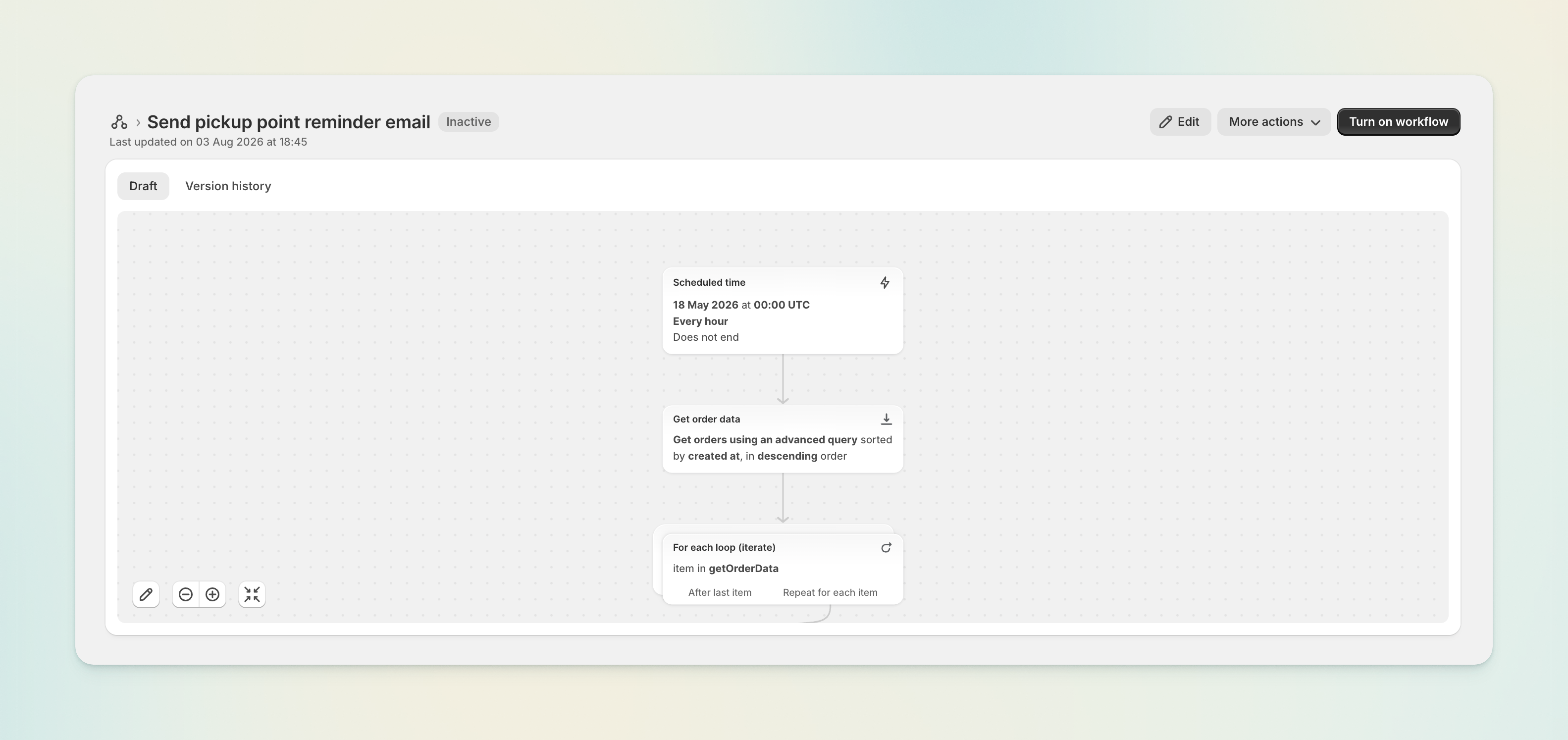
Pickup reminder – a ready-made Shopify Flow template
Some customers finish checkout and never come back to choose their pickup point. Our new Flow template reminds them automatically.
Install it from Shopify's Flow template gallery — no configuration needed. Customise the email or SMS step to match your brand, and you're done.
Preview the pickup banner before you publish
The pickup point banner now renders a demo state inside the Shopify theme editor, so you can see exactly how it looks and where it sits while you're placing it. We've also added step-by-step instructions for adding the banner to your order status and order pages.
Carrier Service onboarding guide
Stores that do have Carrier Calculated Service API access get a new in-app onboarding guide, covering carrier setup, rate configuration, and the go-live checklist in one place.
Smaller improvements
The plan banner now explains what applies to development stores, instead of showing pricing that doesn't apply to them.
Uninstalling ShipWisely now cleanly removes all of your store's data.